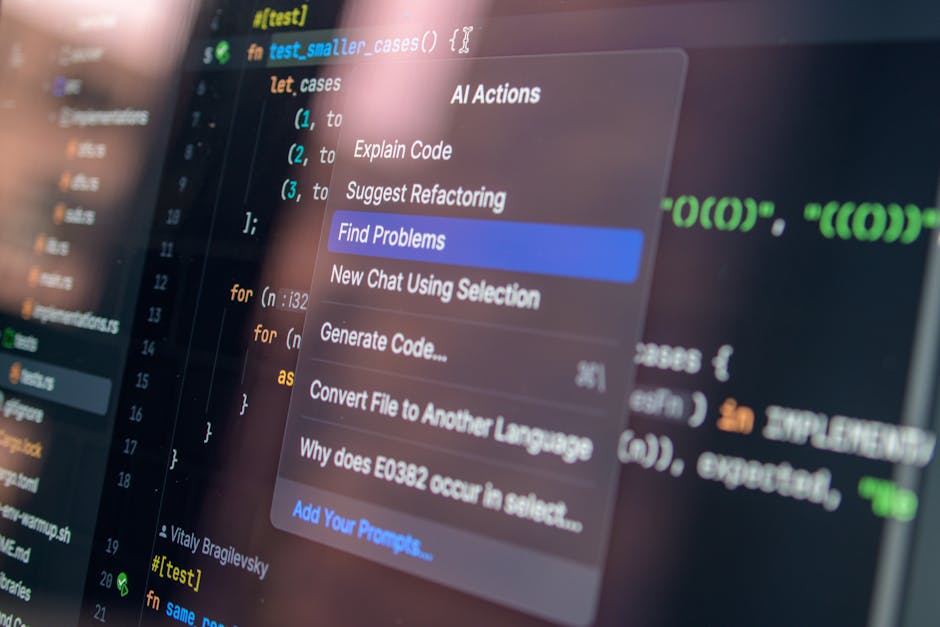
The debate between ChatGPT vs GitHub Copilot for programming tasks has intensified as both AI tools continue to evolve. As a developer who has extensively used both platforms for various coding projects, I’ll provide a comprehensive comparison to help you choose the right AI assistant for your programming needs.
Both tools have revolutionized how developers approach coding, but they serve different purposes and excel in distinct areas. Understanding their strengths and weaknesses is crucial for making an informed decision about which tool to integrate into your development workflow.
Understanding the Core Differences
ChatGPT: The Conversational Programming Assistant
ChatGPT is a conversational AI that excels at understanding complex programming problems through natural language. It’s designed for interactive problem-solving, where you can explain your requirements in detail and receive comprehensive solutions with explanations.
Key characteristics of ChatGPT for programming:
- Excels at explaining complex concepts and algorithms
- Provides detailed code documentation and comments
- Offers multiple approaches to solving problems
- Great for learning and understanding new programming concepts
- Can handle architectural discussions and design patterns
GitHub Copilot: The Real-Time Code Completion Tool
GitHub Copilot integrates directly into your IDE, providing real-time code suggestions based on your current context. It’s trained on billions of lines of code from GitHub repositories, making it exceptionally good at predicting what you want to write next.
Key characteristics of GitHub Copilot:
- Seamless IDE integration with instant suggestions
- Context-aware code completion
- Excellent for repetitive coding tasks
- Maintains coding flow without context switching
- Strong performance with common programming patterns
Code Generation Quality Comparison
ChatGPT Code Generation
ChatGPT shines when you need comprehensive solutions with detailed explanations. Here’s an example of requesting a REST API endpoint:
// Request: "Create a REST API endpoint for user authentication with JWT tokens"
// ChatGPT Response:

const jwt = require('jsonwebtoken');
const bcrypt = require('bcrypt');
const User = require('../models/User');

// POST /api/auth/login
const loginUser = async (req, res) => {
  try {
    const { email, password } = req.body;

    // Validate input
    if (!email || !password) {
      return res.status(400).json({
        error: 'Email and password are required'
      });
    }

    // Find user by email
    const user = await User.findOne({ email });
    if (!user) {
      return res.status(401).json({
        error: 'Invalid credentials'
      });
    }

    // Verify password
    const isValidPassword = await bcrypt.compare(password, user.password);
    if (!isValidPassword) {
      return res.status(401).json({
        error: 'Invalid credentials'
      });
    }

    // Generate JWT token
    const token = jwt.sign(
      { userId: user._id, email: user.email },
      process.env.JWT_SECRET,
      { expiresIn: '24h' }
    );

    res.json({
      token,
      user: {
        id: user._id,
        email: user.email,
        name: user.name
      }
    });

  } catch (error) {
    console.error('Login error:', error);
    res.status(500).json({ error: 'Internal server error' });
  }
};

module.exports = { loginUser };
ChatGPT provides complete, well-structured code with proper error handling, validation, and security considerations. It also explains the reasoning behind each step when requested.
GitHub Copilot Code Generation
GitHub Copilot excels at contextual suggestions as you type. Here’s how it might assist with the same authentication function:
// As you start typing in your IDE:
const loginUser = async (req, res) => {
  // Copilot suggests based on function name and parameters:
  const { email, password } = req.body;

  // As you continue, it predicts the next logical steps:
  const user = await User.findOne({ email });

  // Copilot learns from your coding patterns and suggests:
  if (!user) {
    return res.status(401).json({ error: 'Invalid credentials' });
  }

  // It continues to predict based on common authentication patterns
}
Copilot’s strength lies in maintaining your coding flow by providing relevant suggestions without breaking your concentration.
Learning and Educational Value
ChatGPT as a Programming Tutor
ChatGPT excels as an educational tool. You can ask follow-up questions, request explanations, and explore alternative approaches:
// Example conversation:
// You: "Why did you use bcrypt for password hashing?"
// ChatGPT: "bcrypt is preferred because it:
// 1. Includes built-in salt generation
// 2. Has adaptive hashing (configurable work factor)
// 3. Is resistant to rainbow table attacks
// 4. Automatically handles salt storage
//
// Here's a comparison with other hashing methods:

const bcrypt = require('bcrypt');
const crypto = require('crypto');

// bcrypt (recommended)
const hashedPassword = await bcrypt.hash(password, 12);

// SHA-256 with manual salt (less secure)
const salt = crypto.randomBytes(16).toString('hex');
const hash = crypto.pbkdf2Sync(password, salt, 10000, 64, 'sha256');
GitHub Copilot’s Learning Approach
Copilot learns from your coding style and adapts to your preferences over time. However, it doesn’t provide explicit explanations unless you comment your intentions:
// When you write descriptive comments, Copilot responds better:
// Create a function to validate email format using regex
function validateEmail(email) {
  // Copilot suggests:
  const emailRegex = /^[^\s@]+@[^\s@]+\.[^\s@]+$/;
  return emailRegex.test(email);
}

// Generate secure random password with specified length
function generatePassword(length = 12) {
  // Copilot suggests appropriate implementation
  const charset = 'abcdefghijklmnopqrstuvwxyzABCDEFGHIJKLMNOPQRSTUVWXYZ0123456789!@#$%^&*';
  let password = '';
  for (let i = 0; i < length; i++) {
    password += charset.charAt(Math.floor(Math.random() * charset.length));
  }
  return password;
}
Performance in Different Programming Scenarios
Complex Algorithm Development
For complex algorithms, ChatGPT typically provides more comprehensive solutions with detailed explanations:
// ChatGPT's approach to implementing a balanced binary search tree:
class AVLNode {
  constructor(value) {
    this.value = value;
    this.left = null;
    this.right = null;
    this.height = 1;
  }
}

class AVLTree {
  constructor() {
    this.root = null;
  }

  getHeight(node) {
    return node ? node.height : 0;
  }

  getBalance(node) {
    return node ? this.getHeight(node.left) - this.getHeight(node.right) : 0;
  }

  rotateRight(y) {
    const x = y.left;
    const T2 = x.right;

    // Perform rotation
    x.right = y;
    y.left = T2;

    // Update heights
    y.height = Math.max(this.getHeight(y.left), this.getHeight(y.right)) + 1;
    x.height = Math.max(this.getHeight(x.left), this.getHeight(x.right)) + 1;

    return x;
  }

  // Additional methods with detailed implementation...
}
Rapid Prototyping and Repetitive Tasks
GitHub Copilot excels at rapid prototyping and handling repetitive coding patterns:
// Copilot quickly suggests CRUD operations:
class UserController {
  async createUser(req, res) {
    // Copilot predicts standard CRUD pattern
    try {
      const user = new User(req.body);
      await user.save();
      res.status(201).json(user);
    } catch (error) {
      res.status(400).json({ error: error.message });
    }
  }

  async getUsers(req, res) {
    // Similar pattern prediction
  }

  async updateUser(req, res) {
    // Follows established pattern
  }

  async deleteUser(req, res) {
    // Maintains consistency
  }
}
Integration and Workflow Impact
ChatGPT Workflow Integration
Using ChatGPT requires context switching but offers deeper problem-solving capabilities:
- Planning Phase: Discuss architecture and design patterns
- Problem Solving: Get help with complex algorithms and debugging
- Code Review: Ask for optimization suggestions and best practices
- Learning: Understand new technologies and frameworks
GitHub Copilot Workflow Integration
Copilot seamlessly integrates into your existing development workflow:
- Real-time Assistance: Instant code suggestions without leaving your IDE
- Contextual Awareness: Understands your project structure and coding style
- Productivity Boost: Reduces typing and speeds up common tasks
- Pattern Recognition: Learns from your codebase and suggests consistent patterns
Cost and Accessibility Comparison
Pricing Models
Both tools offer different pricing structures:
ChatGPT:
- Free tier with GPT-3.5
- ChatGPT Plus ($20/month) for GPT-4 access
- API pricing based on usage
GitHub Copilot:
- $10/month for individual developers
- $19/month for business accounts
- Free for verified students and open-source maintainers
When to Choose ChatGPT vs GitHub Copilot
Choose ChatGPT When:
- Learning new programming concepts or languages
- Solving complex algorithmic problems
- Need detailed explanations and documentation
- Planning software architecture
- Debugging complex issues
- Exploring multiple solution approaches
- Working on unique or non-standard problems
Choose GitHub Copilot When:
- Want seamless IDE integration
- Working on standard programming tasks
- Need to maintain coding flow
- Dealing with repetitive code patterns
- Want context-aware suggestions
- Focusing on productivity and speed
- Working within established codebases
The Best of Both Worlds
Many successful developers use both tools strategically:
// Typical workflow combining both tools:

// 1. Use ChatGPT for planning and architecture
// "Design a microservices architecture for an e-commerce platform"

// 2. Use GitHub Copilot for implementation
// Let Copilot suggest code as you implement the planned architecture

// 3. Use ChatGPT for complex problem-solving
// "How can I optimize this database query for better performance?"

// 4. Use GitHub Copilot for rapid development
// Let it handle boilerplate and common patterns

// 5. Use ChatGPT for learning and improvement
// "Explain the trade-offs of different caching strategies"
Conclusion
The choice between ChatGPT vs GitHub Copilot for programming tasks isn't necessarily an either-or decision. Both tools excel in different areas and can complement each other effectively in a well-rounded development workflow.
GitHub Copilot is superior for developers who prioritize seamless integration, real-time assistance, and maintaining coding flow. It's particularly valuable for experienced developers working on standard projects who want to boost their productivity.
ChatGPT is better suited for learning, complex problem-solving, architectural planning, and situations where you need detailed explanations and multiple approaches to solutions. It's especially valuable for developers who are learning new technologies or working on unique challenges.
For the best results, consider using both tools strategically: leverage ChatGPT for planning, learning, and complex problem-solving, while using GitHub Copilot for day-to-day coding tasks and rapid development. This combined approach will give you the educational benefits of ChatGPT and the productivity gains of GitHub Copilot, making you a more effective and knowledgeable developer.
The key is understanding each tool's strengths and using them appropriately based on your specific needs, experience level, and project requirements. Both are powerful AI assistants that can significantly enhance your programming capabilities when used correctly.